
Shared grocery list
A shared grocery list for your household, with a buyer and a day.
Housli’s shared grocery list is a Shopping List task with a checklist. Anyone in your household adds items, one or more people get the list for a day, and the list is done when every item is checked. It sits on Today next to your chores, on iPhone or in any browser.

Housli is free for the whole household.
By the Housli team · Updated
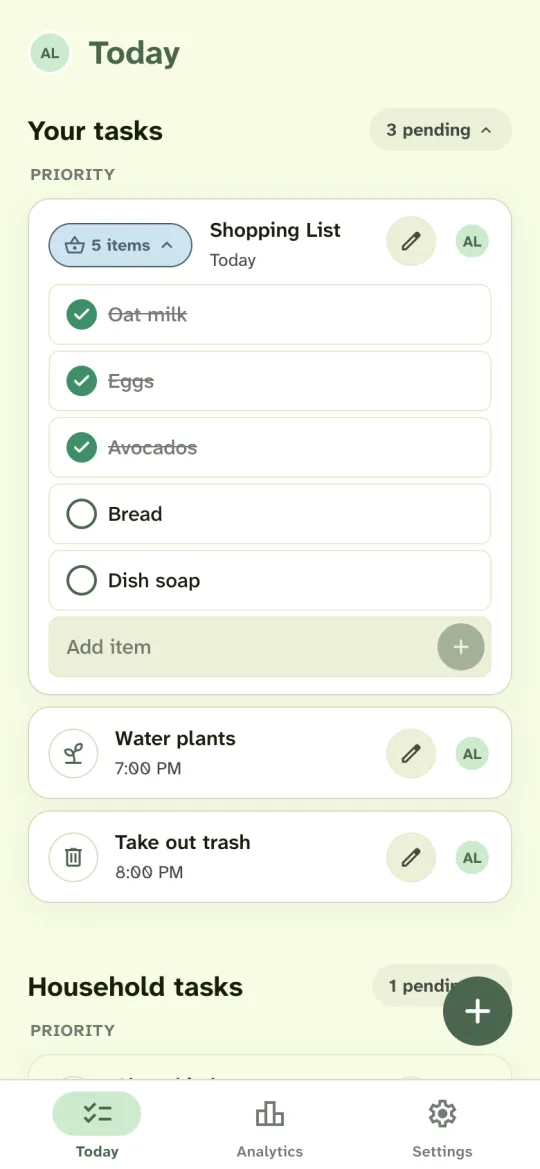
Set up a shared grocery list.
Choose Shopping
Tap the plus button on Today and choose the Shopping type.
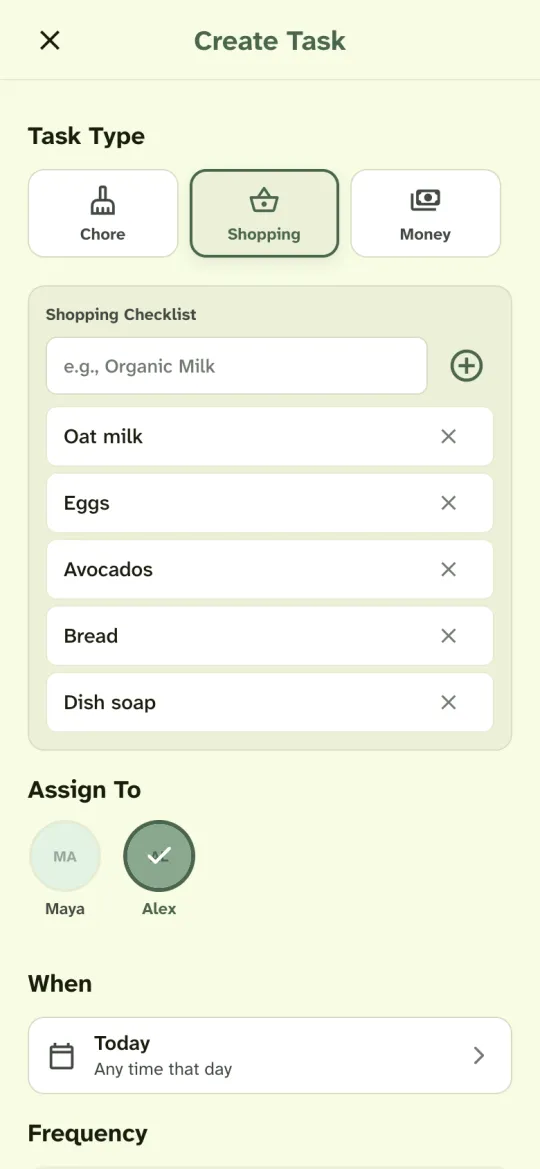
Add the items
Type each item and add it to the checklist. Anyone in the household can add more items later from the list on Today.
Pick who buys it and when
Select the person who goes to the store and the day. You can select more than one person.
Check items off in the store
Tap an item when it is in the cart. When every item is checked, the Shopping List is marked done. If someone unchecks an item or adds a new one, the list opens again.
Apple Reminders or Housli?
Apple Reminders already has shared lists. The table compares the two apps with facts from Apple Support’s pages on shared lists and grocery lists.
| Apple Reminders | Housli | |
|---|---|---|
| Who can join | People with an Apple Account and Reminders turned on in iCloud | People you invite to your household, on iPhone or in any browser |
| Assign | An item to a person on the list | The whole list to one or more people, for a day |
| Alerts | Optional alerts when someone adds or completes an item | One alert when someone adds a list for you for today |
| Grocery categories | A Groceries list sorts items into categories such as Produce | A plain checklist without categories |
| Done | Each person marks items completed | The list is done when every item is checked |
If everyone in your home uses iCloud and you only need a shared list, Reminders covers that. Housli suits a household that also shares the chores and wants to see who has the shopping this week.
Tips for a shared grocery list
Keep one list for each trip to the store. Add an item as soon as it runs out, so the list is ready when someone goes. Write the size or brand in the item, such as “oat milk, 2 cartons”, so the buyer does not need to ask.
If two people shop together, select both of them. Either of you can check items, and the list is done when the last item is checked.
Groceries next to the chores
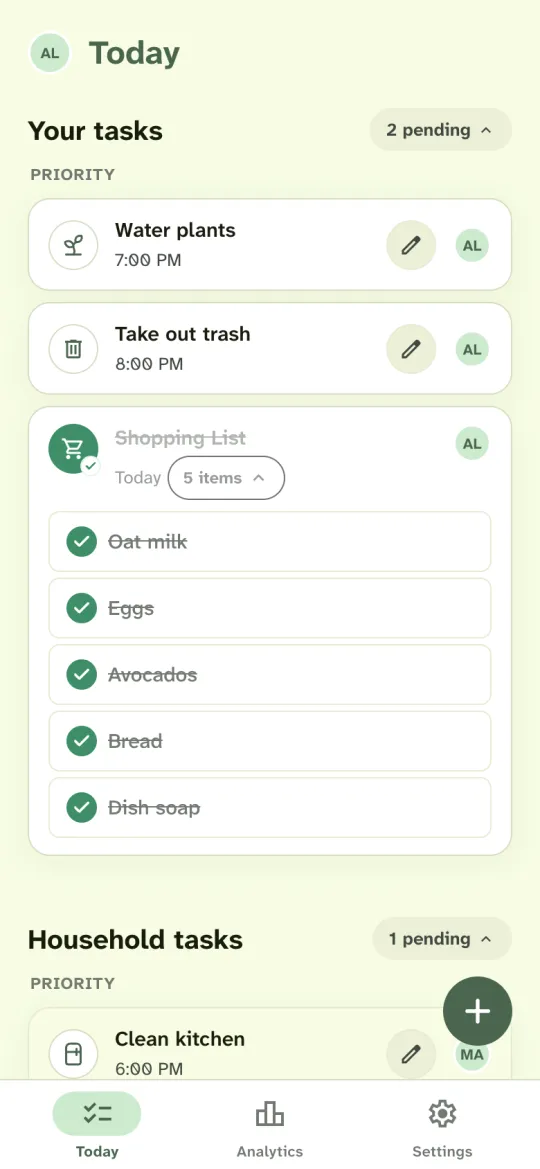
The list is a task, so it shows on Today with its person and day, next to chores such as the dishes or the trash. Everyone in the household can see who has the shopping this week without a message in the group chat.
See when the shopping is done.
When the last item is checked, the Shopping List shows as done on everyone’s Today. Anyone in the household can check items.
Alex can turn on New task alerts in Settings and allow notifications. When Maya adds a Shopping List for him for today, his phone shows “New household task: Maya added Shopping List for you today.” Housli does not send an alert for each item.
Task summaries send one push in the morning when you have open tasks and one in the evening if they are still open. On iPhone, notifications work in the app, or in the web app after you add it to the Home Screen.
To make the weekly shop repeat, choose Recurring. With Rotate assignees, each week’s list goes to the next person in turn. Read how recurring chores and rotation work.
Questions
Is the shared grocery list free?
Yes. Shopping lists are included, as are recurring chores and rotation, money requests, Analytics, notifications and calendar sync.
Can we have more than one list?
Yes. Each Shopping List is its own task with its own items, people and day.
Will I get a notification for each item?
No. With New task alerts turned on, you get one alert when someone else adds a Shopping List for you for today. Task summaries send one morning push and one evening push if your tasks are still open.
Can we split the cost of the shopping?
Yes. The person who paid can send each member a money request for their share. The money moves through your usual bank or payment app.
How do I share a grocery list with my partner or roommates?
Invite them to your household from Settings. Then create a Shopping List on Today and assign it. Everyone in the household sees the list and can add or check items.
Can the grocery list repeat every week?
Yes. Choose Recurring when you create the list. With Rotate assignees, each week’s list goes to the next person in turn.

Start your next grocery list in Housli.
Make the list, give it to the person who goes to the store, and see the items get checked off on Today.
Download for iPhone or sign in through your browser.